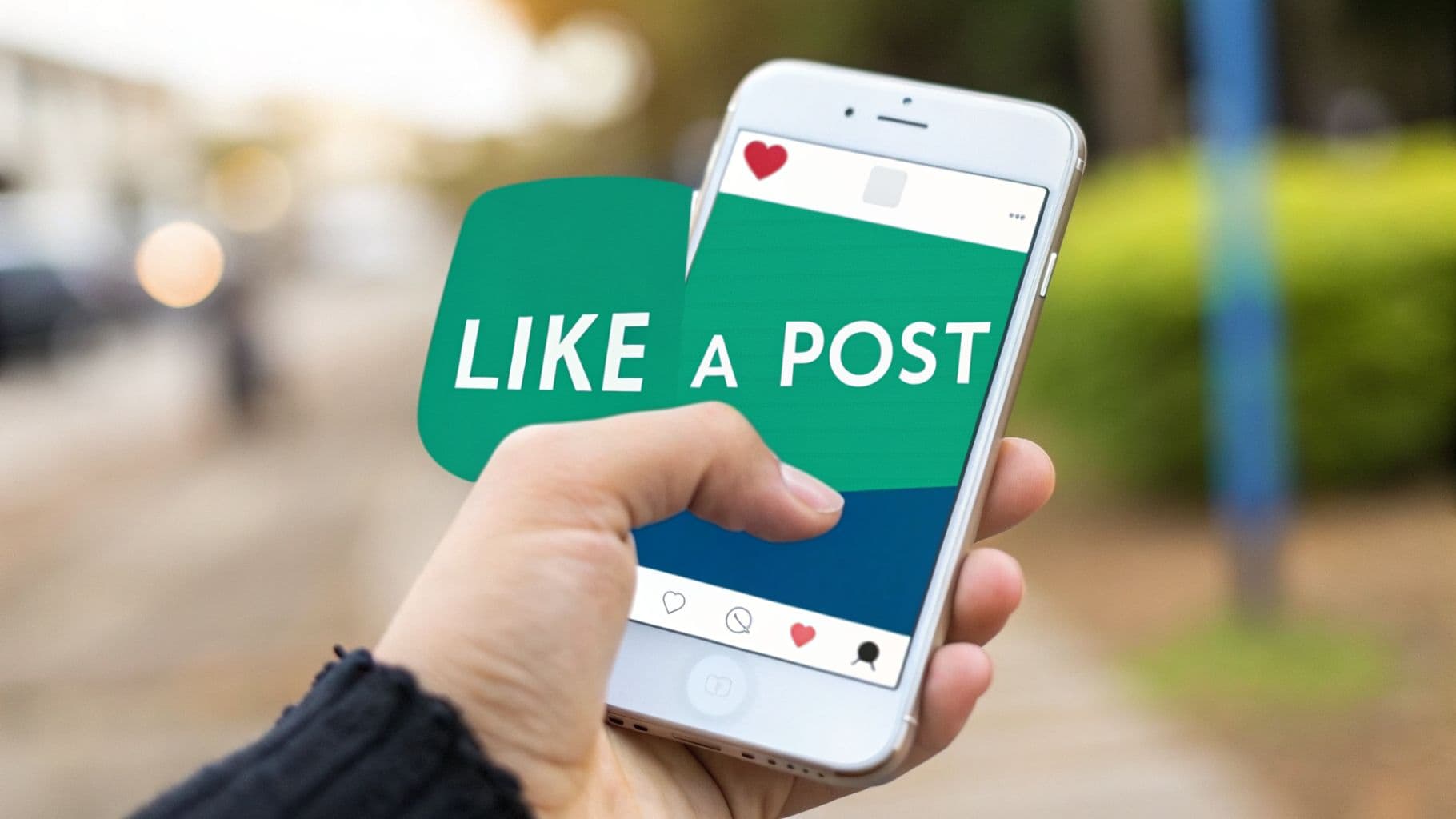
Your Quick Guide to Liking an Instagram Post

Whether you’re scrolling your feed, watching a Reel, or tapping through Stories, that little red heart is the universal sign for "I see you!" It’s a small action, but it’s the primary way we interact and send feedback on the platform.
For most of us, the double-tap has become pure muscle memory. It's fast, efficient, and lets you keep scrolling without missing a beat. The heart icon, on the other hand, is a more deliberate click. Either way, once that heart turns red, your love is official.
A Universal Action Across Devices
The best part? This all works the same whether you're on the Instagram app for iPhone and Android or browsing on your desktop. On a computer, the double-tap becomes a double-click, and the heart icon is still there waiting for a single click.
This isn't an accident—it's smart design. By making the "like" function so consistent and effortless, Instagram encourages us to engage more often. More likes mean more data for the algorithm to learn what you enjoy seeing.
Since the exact placement of the heart can move around, here's a quick cheat sheet for liking all the different types of content you'll find on Instagram.
How to Like Content Across All Instagram Formats
This list breaks down exactly what to do, whether you're on your phone or your computer. It’s a handy reference for every scenario.
Feed Post – On mobile, you can like a feed post by double-tapping the post or tapping the heart icon below it. On desktop, you can double-click the post or click the heart icon below it.
Reel – On mobile, you can like a Reel by double-tapping the video or tapping the heart icon on the side. On desktop, you can double-click the video or click the heart icon on the side.
Story – On mobile, you can like a Story by tapping the small heart icon at the bottom right. On desktop, you can click the heart icon at the bottom right of the Story view.
Profile Grid – On mobile, you first tap a post to open it, then double-tap or tap the heart icon. On desktop, you click a post to open it, then double-click or click the heart icon.
As you can see, the core actions—double-tapping/clicking or hitting the heart—are always the same. Now you'll know exactly where to look, no matter where you are on the platform.
Liking More Than Just Feed Posts: Reels, Stories, and Profiles

While your main feed is where most of the action happens, don't forget about Instagram’s other formats. Showing appreciation on Reels, Stories, and even directly on a user’s profile grid works a little differently, but it's just as important for engagement.
When you're scrolling through Reels, that fast-paced video content, liking is designed to be seamless. You can either double-tap anywhere on the video as it plays or simply tap the heart icon you see on the right-hand side. Both work instantly, letting you show support without missing a beat. Your like is more than just a tap—it's a signal to the algorithm that helps a Reel get discovered.
Liking Stories, on the other hand, is a more personal touch. These posts disappear after 24 hours, and liking them is private. Just tap the small heart icon at the bottom of the screen while viewing. This sends the creator a notification in their DMs, almost like a quiet nod of approval, instead of a public count.
Digging Deeper with Profile Likes
Ever discover a new creator and want to show them some serious love? A great move is to visit their profile and browse their past work. Liking older posts directly from their grid is a powerful way to show you're a genuine fan.
Just tap on any photo or video in their profile grid to open it, then double-tap the post or hit the heart icon below it. It’s a small effort that tells creators you appreciate their whole body of work, not just their latest post. This is a fantastic strategy if you're working on how to increase engagement on Instagram as a brand or influencer yourself.
Pro Tip: Ever wanted to see a history of every post you've liked? Head to your profile, tap the three-line menu icon, and select "Your activity." Under "Interactions," you'll find "Likes." Here, you can review and even unlike posts, giving you full control.
Keeping up with how these features evolve is also smart. To get a better sense of where video content is headed, check out our guide on the future of Instagram Reels in 2026 for some valuable insights.
Why Your Instagram Likes Train the AI
Ever wonder how Instagram’s feed seems to read your mind, showing you that perfect video or meme right when you need it? It’s not magic. That simple double-tap you give a post is actually a powerful piece of feedback you're sending directly to the platform's algorithm.
Think of every like as a vote. You're essentially telling Instagram, "Yes, this is good. I want more of this." It's the most fundamental way you teach the app what you enjoy, shaping your entire experience from the posts in your feed to the Reels in your discovery queue.
The Power of Engagement Signals
Instagram doesn't rely on just one big algorithm; it's a smart system that constantly learns from your behavior. When you like a post, you’re providing a key signal that helps it decide what to show you next. This directly influences the content at the top of your feed, the videos recommended to you, and what pops up on your Explore page.
The algorithm is always watching for four main types of interaction:
Likes: The simplest, most direct way to show you approve of a post.
Comments: A much stronger signal, indicating the content was engaging enough to spark a conversation.
Shares: This tells the algorithm the content is so valuable you want others to see it, too.
Saves: Perhaps the strongest signal of all, a save means you found the content useful enough to come back to it later.
While saves and shares are often considered "super-engagements," the humble like is still the foundation of it all. If you want to get into the nitty-gritty, you can explore more about how Instagram's algorithm works and weighs these different signals.
From a Simple Like to Viral Reach
This feedback loop is exactly why a post from a small creator can suddenly go viral. When a post starts racking up likes, shares, and comments quickly, the algorithm sees it as high-quality, must-see content and starts pushing it out to a much wider audience.
When users like a post on Instagram in 2026, they're sending a direct signal to Meta's AI that influences content ranking. Engagement is the key ranking signal, with the AI prioritizing content that earns saves, shares, and comments alongside likes.
This is especially true for Reels. For example, for an account with around 50,000 followers, a great Reel can easily reach 200,000 accounts or more. A static photo, on the other hand, might only be seen by about 12,000. That huge difference shows just how much a simple like—multiplied by thousands of people—can fuel explosive growth on the platform.
The New Rules of Instagram Engagement in 2026
If you're still chasing likes on Instagram in 2026, you're playing an outdated game. While the simple double-tap is still a basic form of interaction, its value has plummeted. The platform has evolved, and what it rewards has changed dramatically.
We're seeing a massive shift away from passive engagement. It’s no longer about racking up a high like count; it’s about sparking genuine conversations and creating content that people feel compelled to share. For creators and brands, this means your focus has to be on building a real community, not just collecting vanity metrics.
The Instagram algorithm now heavily rewards content that starts conversations and gets shared. This means creators must foster genuine community interaction rather than just chasing likes.
The Great Redistribution of Engagement
So where did all that engagement go? It hasn't disappeared—it's just been redistributed to actions that signal deeper interest.
A recent analysis of over 15 million posts from this year tells the story perfectly. While likes on standard feed posts have dropped by a staggering 48%, the more meaningful metrics are climbing. We're seeing comments jump by 7% and, even more importantly, shares are up by 11%.
This is the algorithm in action, prioritizing content that connects. Take a look at this real-world example of how different content formats perform.

The difference is impossible to ignore. A Reel built for high engagement can easily outpace a static post by more than 10x in terms of reach. The lesson here is that you have to adapt your strategy. If you want your content to get seen, you need to learn what drives these higher-value interactions.
Mastering this new reality means exploring proven strategies to increase Instagram likes, shares, and comments as part of a holistic, community-first approach.
Troubleshooting Common Liking Issues

It's a familiar and frustrating moment: you double-tap a great post, but the heart icon refuses to appear. If you're wondering, "Why can't I like posts on Instagram?" you've likely run into a temporary action block.
This is Instagram’s way of hitting the pause button. It usually happens if their system detects overly aggressive activity, like liking hundreds of posts in a very short amount of time. To combat spam and bots, Instagram has unpublished daily and hourly limits. Exceed them, and you might find your ability to like, comment, or follow is temporarily frozen.
Don't worry, it's not permanent. Most of the time, an action block will lift on its own within a few hours. In more serious cases, you might have to wait up to 24 hours. The best and only real fix is to just put your phone down and take a break from engaging for a bit.
The Accidental Like and Other Glitches
Another classic Instagram moment? You're deep into someone's profile from two years ago, and your thumb slips. You've just accidentally liked a post from 2019. We've all been there.
Luckily, the fix is instant. Just tap the red heart again. It will immediately turn back to white, and as long as you're quick about it, the notification will vanish from their activity feed. Crisis averted.
Sometimes, the issue isn't a block or a clumsy thumb, but a simple technical hiccup. Before you assume the worst, run through these quick checks:
Is your connection stable? A weak Wi-Fi or cellular signal is a common culprit for actions that don't seem to go through.
Have you tried restarting the app? Simply closing and reopening Instagram is the oldest trick in the book for a reason—it often works.
Is your app up-to-date? Head to your app store and check for updates. Running an old version can cause all sorts of minor bugs.
Think of an action block as a safety measure, not a punishment. It's how Instagram protects the platform's authenticity. Waiting it out is almost always the only solution you need.
These simple fixes will solve most liking problems and get you back to showing some love to your favorite creators. And if you're looking to get more engagement on your own content, check out our guide on getting more likes on Instagram for some pro tips.
Your Questions About Instagram Likes Answered
Even for seasoned Instagram users, a few questions about 'likes' always seem to surface. Let's tackle the ones I hear most often and clear up any confusion once and for all.
First up, the big one: do people see when you like their post? Yes, the creator always gets a notification. This brings us to that heart-stopping moment of the accidental like, especially on a post from weeks ago. If you act fast and unlike it (by tapping the red heart again), the notification will usually vanish from their activity feed before they even see it. Just be aware it might still flash on their lock screen for a split second!
Can I See All the Posts I Have Liked?
You absolutely can, and it's a surprisingly useful feature. It’s perfect for finding that one recipe you liked but forgot to save, or rediscovering an artist whose handle you can't remember.
Instagram keeps a complete history of every single post you’ve ever liked. Here’s how to find it:
Head over to your profile page and tap the three-line menu icon in the top-right corner.
From there, choose 'Your activity'.
Under the Interactions section, just tap on 'Likes'.
You'll be greeted with a grid of every post you've ever double-tapped, neatly organized from the most recent to the oldest.
Your 'Likes' history isn't just a trip down memory lane; it’s a powerful tool for managing your digital footprint. You can review your activity and even 'unlike' past posts directly from this screen, giving you full control over your interactions.
So, what happens when you unlike a post? The process is simple and discreet. Your like is instantly removed, and the post's total like count drops by one. More importantly, the original notification is retracted from the creator’s in-app activity list, almost as if the like never happened. It's a clean way to undo a mistaken tap or simply change your mind.
Ready to turn your own likes into serious growth? Gainsty uses advanced AI and real Instagram experts to help you get more organic followers and boost your engagement. Stop guessing and start growing at https://www.gainsty.com.
.png&w=1920&q=75&dpl=dpl_DYyCAkFiJQP73FmyNaXBVdNWr6i6)





.png&w=750&q=75&dpl=dpl_DYyCAkFiJQP73FmyNaXBVdNWr6i6)